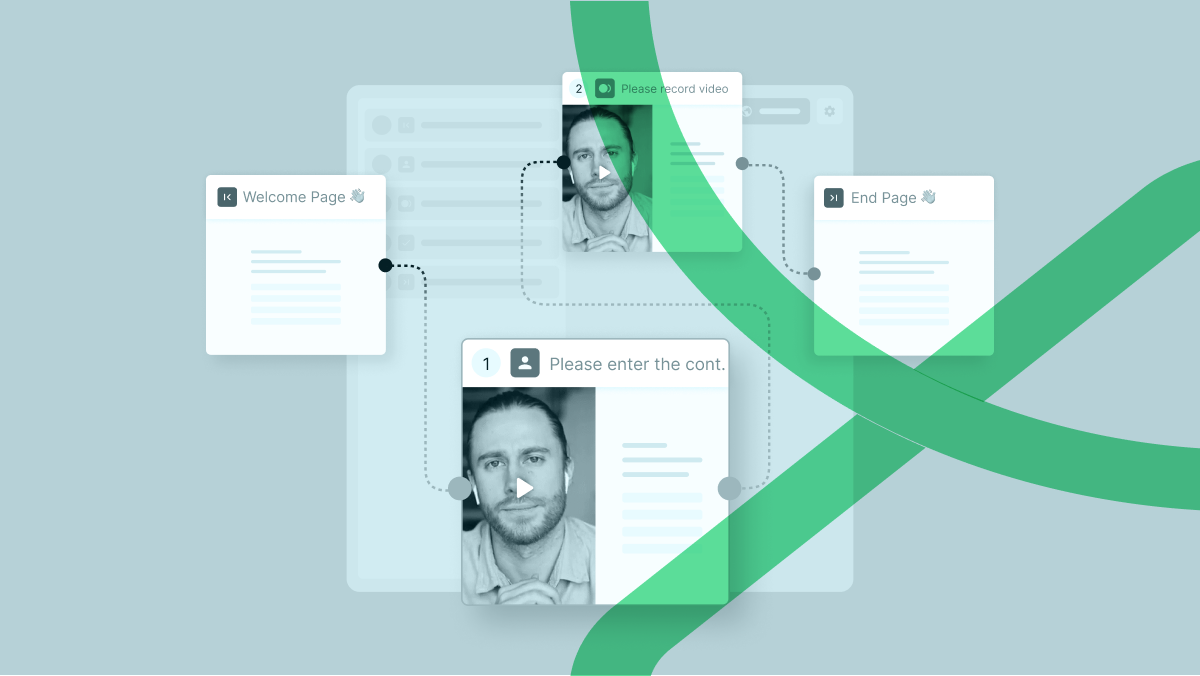

Understanding your customers’ experiences at every touchpoint is crucial for any business aiming to foster loyalty and satisfaction. Traditional customer journey mapping has long been a staple tool for visualizing this process, but integrating video feedback can elevate your insights to an entirely new level. This guide will explore how businesses can effectively map out their customer journeys using video feedback, covering key stages such as onboarding, post-purchase follow-ups, and issue resolution.
The Power of Customer Journey Mapping and Video Feedback
In today’s fast-paced digital world, customer experience (CX) is a key differentiator. Companies that prioritize CX tend to outperform those that don’t. However, simply having a customer journey map is not enough. What if you could see and hear your customers’ reactions and emotions directly, rather than relying solely on written or survey feedback? This is where video feedback comes into play. It provides a richer, more nuanced understanding of customer experiences, helping you identify pain points, moments of delight, and opportunities for improvement.
In this article, we’ll guide you through the steps to integrate video feedback into your customer journey mapping process, enhancing your ability to understand and improve every stage of the customer lifecycle.
Why Integrate Video Feedback into Customer Journey Mapping?
Before diving into the “how,” let’s understand the “why.” Video feedback offers several unique advantages over traditional forms of feedback:

- Emotional Depth: Videos capture non-verbal cues like facial expressions and tone of voice, providing deeper insights into customer feelings.
- Contextual Clarity: They offer context that written feedback often lacks, allowing you to see the actual environment in which customers are using your product or service.
- Engagement: Customers often find recording a video more engaging and personal, which can lead to more genuine feedback.
- Rich Data: Video feedback can be mined for detailed quality data driving more precise customer journey maps
Getting Started with Video Feedback Integration
1. Define Clear Objectives
Start with clear, measurable objectives. Are you looking to improve onboarding processes, identify common post-purchase issues, or enhance your customer support? Knowing what you want to achieve will guide your entire approach to video feedback integration.
2. Choose the Right Tools
To gather video feedback effectively, you need the right tools. Consider platforms like RecRam, UserTesting, Voxpopme, or Lookback, which offer solutions for capturing, analyzing, and acting on video feedback.
3. Incorporate Video Feedback in Key Stages of the Customer Journey
a. Onboarding
Why It Matters: The onboarding phase sets the tone for the rest of the customer’s experience with your brand. A smooth onboarding process can significantly increase customer satisfaction and retention rates.
How to Use Video Feedback:
- Capture First Impressions: Ask new customers to record their first impressions of your product or service. Pay attention to their expressions and tones of voice.
- Identify Friction Points: Use video feedback to spot any points of confusion or frustration during the setup process. Are there particular features that seem to trip customers up?
Example in Action: A SaaS company noticed that new users were frustrated with the complexity of the initial setup. By watching video feedback, they identified the exact steps causing confusion and simplified the process, which led to a 20% decrease in churn rates.
b. Post-Purchase Follow-Ups
Why It Matters: The period right after purchase is critical for reinforcing positive customer sentiment and paving the way for repeat business.
How to Use Video Feedback:
- Gauge Immediate Reactions: Encourage customers to share their initial thoughts on the product soon after purchase.
- Solicit Additional Insights: Ask customers to provide video reviews or testimonials highlighting what they love and what they think could be improved.
Example in Action: An e-commerce business used video feedback to gather customer thoughts on packaging. They discovered that while the product was satisfactory, many customers found the packaging excessive and difficult to open. The company streamlined its packaging, resulting in a more positive unboxing experience and higher customer satisfaction scores.
c. Issue Resolution
Why It Matters: Effective issue resolution can turn a potentially negative experience into a positive one and significantly boost customer loyalty.
How to Use Video Feedback:
- Understand Pain Points: Ask customers to describe their issues and the impact it had on them. Videos can provide a clearer picture of the severity and emotional toll of the problem.
- Evaluate Resolutions: After resolving an issue, request video feedback to understand whether the customer felt their problem was handled effectively.
Example in Action: A telecommunications company used video feedback to understand customer frustrations with their call center. By observing the emotions and body language of their customers, they identified key areas for training their support staff, leading to a 15% improvement in issue resolution rates.
Analyzing and Acting on Video Feedback
1. Transcribe and Tag Video Content
Use transcription services and tagging software to break down video content into manageable data segments. Identify common themes, keywords, and emotions displayed by customers.
2. Integrate Insights into Your Customer Journey Maps
Update your Customer Journey maps with the insights gained from video feedback. Pinpoint exact moments where customers face challenges, feel delighted, or encounter friction.
3. Prioritize and Implement Changes
Not all feedback will be actionable immediately. Prioritize changes that will have the most significant impact on customer experience. Develop a roadmap for implementing these changes and track their effectiveness over time.
Enhancing Engagement with Visual Elements
Incorporate visual elements to enrich your customer journey maps and make the data easier to comprehend:
- Infographics: Use infographics to summarize key insights from video feedback.
- Customer Journey Maps: Visualize the customer journey with added video feedback insights, highlighting critical touchpoints.
- Highlight Reels: Create highlight reels of customer feedback to share with stakeholders, helping to convey the emotional and experiential aspects more vividly.
Best Practices for Video Feedback
To get the most out of video feedback, follow these best practices:
- Set Clear Expectations: Let customers know what kind of feedback you’re looking for and why it’s valuable.
- Make it Easy: Provide simple instructions and tools for recording and submitting videos.
- Ensure Privacy: Respect customer privacy and ensure their consent before using their videos for analysis.
- Act Quickly: Respond to feedback promptly to show customers that their opinions matter and you’re taking action.
Conclusion: Transforming Customer Experience with Video Feedback

By integrating video feedback into your customer journey mapping process, you can gain deeper, more actionable insights into your customers’ experiences. This approach not only helps in identifying and resolving pain points but also enhances your ability to deliver exceptional experiences at every stage of the customer lifecycle.
Take the leap and start incorporating video feedback into your customer journey maps today. By doing so, you’ll be better equipped to understand and serve your customers, ultimately driving loyalty, satisfaction, and business growth.
Don’t forget to share your experiences and insights in the comments section below. Your feedback is invaluable in helping us all create better customer experiences. Let’s continue the conversation!
Ready to try it?
Stop reading. Start listening.
Recram turns feedback into video conversations your team actually watches.
Start Free — No Credit Card
Written by
Nebi Kara
Part of the Recram team — building the future of video‑first feedback.