

Conditional logic forms
that ask the right next question.
Send each person down the path their answer opens: a follow-up for one choice, a skipped step for another. Draw the branches on a canvas, no code, and share one link.
No credit card required. 28-day free trial.
- Path 1 · If is equal to “Just me”Want to start with a free trial instead?
- Default path · every other answerWhat problem are you trying to solve?
Trusted by forward-thinking teams









What is conditional logic?
Conditional logic, also called branching or skip logic, is a set of rules that picks which step a form shows next from the answer just given. In RecRam you set a rule on a step: if the answer is equal to, contains or begins with a value, go to a chosen step; otherwise follow the default path.
Every rule is a line on the builder canvas, so you see who gets which question before you share the link. The people answering never see the rules, only a form that fits what they said.
What a rule can check
Each step type gets the checks that make sense for its answer.
- Multiple choice, Dropdown
- Checks: is equal to · is not
- Example:Anyone who picks “Recover from an injury” gets a question about the injury.
- Input
- Checks: is equal to · is not · begins with · ends with · contains · does not contain
- Example:An order number that begins with “R” goes to the returns questions.
- Rating, NPS
- Checks: is equal to · is not
- Example:A score of 1 goes straight to “What went wrong?”
- Recorder
- Checks: is equal to · is not
- Example:Someone who answered by voice instead of video gets a follow-up of their own.
End page, Appointment and File upload steps have no rule of their own. A path can end on an End page, or on a Redirect step that opens any URL in the same tab or a new one.
Every path on one canvas
This is the hospital intake demo as it sits in the RecRam builder. The first question splits into three paths, a later one adds a step only for patients who take medication, and every branch line carries the answer that takes it.
- 1Before your visit
- 2What is your visit for?
- A new health concern → 3. Describe your symptoms
- A follow-up visit → 4. How have you been since your last visit?
- A routine check-up → 5. How would you rate any pain or discomfort today?
- 3Describe your symptoms
Then → 5. How would you rate any pain or discomfort today?
- 4How have you been since your last visit?
- 5How would you rate any pain or discomfort today?
- 6Are you currently taking any medication?
- Yes → 7. Which medications are you taking?
- No → 8. Your contact details
- 7Which medications are you taking?
- 8Your contact details
- 9You're all checked in









Drag a line to branch
Pull a connection from one step to another and the logic panel opens with a new path to that step.
Tidy it in one click
Auto layout puts every step at its depth in the flow, fans branches out side by side and lets joining paths meet in one place.
Read it before you share
Hover the label on a branch line to see its whole rule: the default path, each condition and any fallback.
Write the rule in plain words
Click Condition on a step and the logic panel slides in. This is the real rule on the first question of the insurance claim demo.
- Default path
- Where the answer goes when no path matches. Here, anyone who says someone was injured is asked about medical attention next.
- Path 1
- If the answer is equal to “Yes, everyone is okay”, the form skips that question and goes straight to Tell us what happened.
- Add path, Else
- Add a path for every answer that needs its own step, and an Else fallback for anything you did not plan for.
- Checked before it saves
- A path without a value or a destination, or one that points back to its own step, is flagged before the rule is saved.
On the canvas, the two lines from this step read:
Same form, three people, three paths
Laura, Peter and Mateo are sample respondents in the insurance claim demo: fictional people, real routing. They opened the same link, answered the first questions differently, and each saw only the steps that applied.
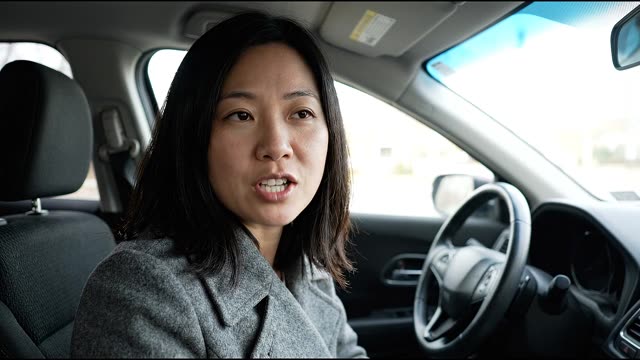 Laura ChenSample respondent · Saw 8 of 9 steps
- 1Report an accident
- 2Is everyone safe?Yes, everyone is okay
- 3Did anyone need medical attention?Skipped
- 4Tell us what happenedVideo answer · 0:08
- 5Was another vehicle involved?Yes
- 6Other driver's name and plate numberMark Doyle, plate 7KDF219
- 7Show us the damageVideo answer · 0:08
- 8How can we reach you?Contact details
- 9Your claim has been started
AI summaryRear-ended by a van while stopped at a red light.
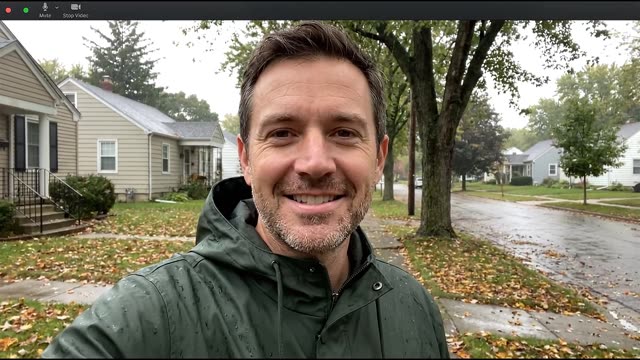 Peter NovakSample respondent · Saw 7 of 9 steps
- 1Report an accident
- 2Is everyone safe?Yes, everyone is okay
- 3Did anyone need medical attention?Skipped
- 4Tell us what happenedVideo answer · 0:08
- 5Was another vehicle involved?No, only my car
- 6Other driver's name and plate numberSkipped
- 7Show us the damageVideo answer · 0:08
- 8How can we reach you?Contact details
- 9Your claim has been started
AI summarySlid into a lamp post due to black ice, damaging the front left side.
- 1Report an accident
- 2Is everyone safe?Someone was injured
- 3Did anyone need medical attention?Minor, no treatment yet
- 4Tell us what happenedVoice answer · 0:06
- 5Was another vehicle involved?Yes
- 6Other driver's name and plate numberSarah Jenkins, plate J92-KLM
- 7Show us the damageVoice answer · 0:07
- 8How can we reach you?Contact details
- 9Your claim has been started
AI summarySideswipe collision during highway merge with minor injuries reported.
Sample answers from the insurance claim demo that every new RecRam account starts with. Each route is worked out from the person’s answers with the form’s own rules.
Five products, one bill
Every plan includes all of them. Start with video forms and add the rest when you need them.
Video Forms
Ask questions by video and collect video, voice, screen or text answers through one link.
Explore Video FormsAI Analysis
Transcripts, summaries, keywords and sentiment on every answer, plus your own AI questions and rules.
Explore AI Analysis
Video Magnet
Put a form on any website as a corner video that opens as a side panel, popup or full page, with triggers you control.
Explore Video Magnet
Room
Async one-to-one video threads. Send a link, they record, you reply in the same thread.
Explore Room

Works with the tools you already use
Connect RecRam to the tools you already use: native apps, no-code automation or your own code.
Webhooks & API
Receive real-time notifications and full API access to build RecRam directly into your own product.
Zapier
Connect with thousands of apps via Zapier. Trigger actions instantly when a video form is submitted.
Make
Receive RecRam responses with a webhook and route them to any app in a visual Make scenario.
n8n
Fair-code workflow automation. Trigger complex logic directly and self-host your data securely.
Native integrations
HubSpot, Zendesk, Slack, Google Sheets, Google Calendar, plus GTM, GA4 & Meta Pixel
Connect the account once, then choose per form what each response sends: CRM contacts, support tickets, channel posts, spreadsheet rows or calendar events.
Rated 4.6 out of 5 on G2
From HR, product and marketing teams who collect their answers on video.
Read all reviews on G2“RecRam has solved my 'How do I leave a video testimonial?' problem. Rather than giving clients a confusing process, I now share a RecRam link... Easy as 1-2-3!”
Start in under 2 minutes
Customer Satisfaction with Service Level Agreement (SLA)
Evaluates customer satisfaction with adherence to Service Level Agreements and identifies breaches or areas of concern.
5 questions · branching
User Onboarding Video Feedback
Collects feedback on the helpfulness and clarity of an onboarding video tutorial.
5 questions · branching
Product Feature Usage & Satisfaction
Understands which product features are most used and how satisfied customers are with them.
7 questions
Conditional logic FAQ
Still have questions? Chat with our team
They Won't Type It.
But They'll Show It.
Start collecting real feedback in video. See what your customers actually think and feel.