

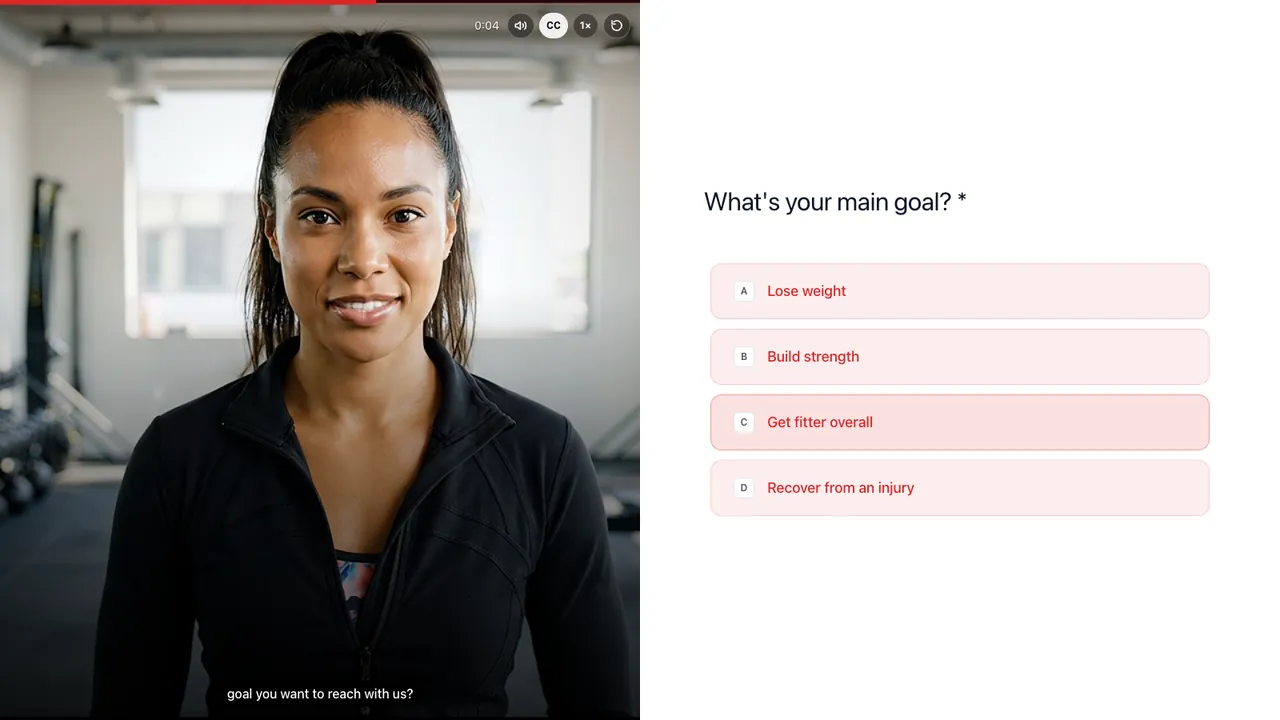
Fitness
Book free trial sessions with context

Ask each question on video, branch on any answer and share one link. People reply by video, voice or text in any browser, no app, and AI transcribes and summarizes every answer.
No credit card required. 28-day free trial.
Built in RecRam: 8 steps, branching on team size.
Trusted by forward-thinking teams









Lead qualification, hiring screens, claims and intake forms, each built in RecRam with a video host and branching. Open one, answer it, then start from it in a free account.
Fitness
Book free trial sessions with context

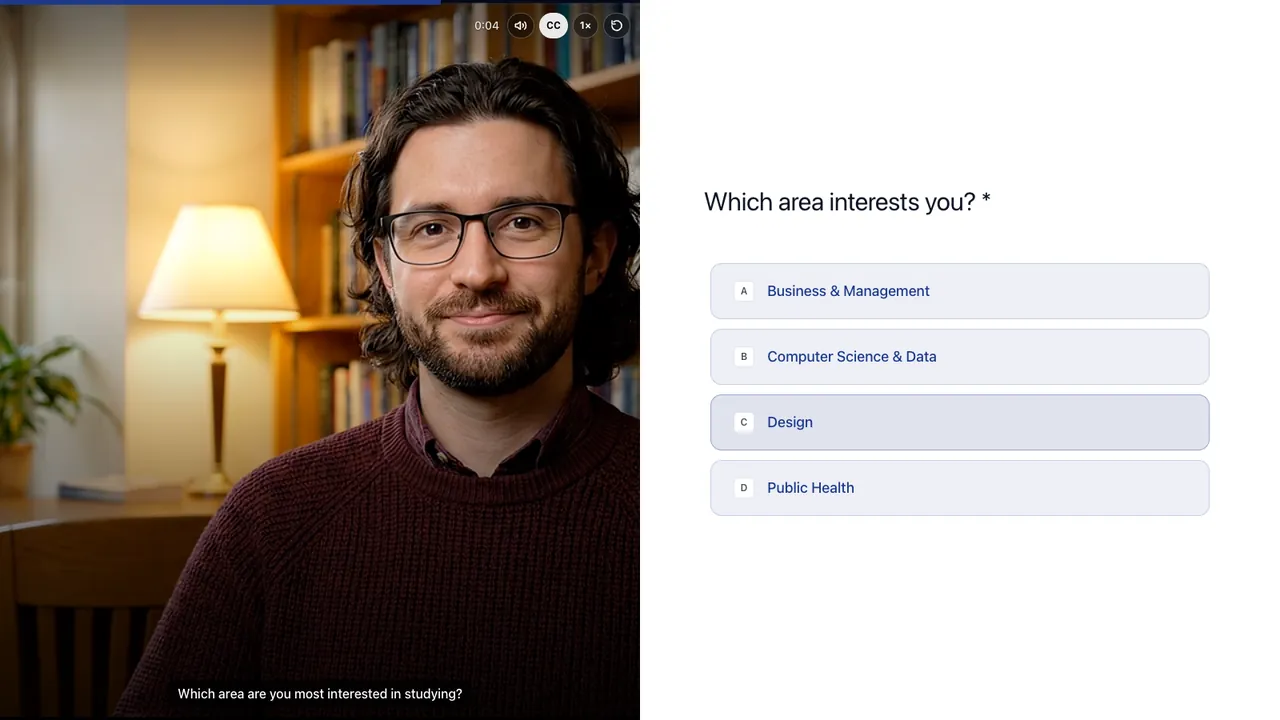
Education
Capture prospective students with program interest, study format and start date, plus a short video about their goals

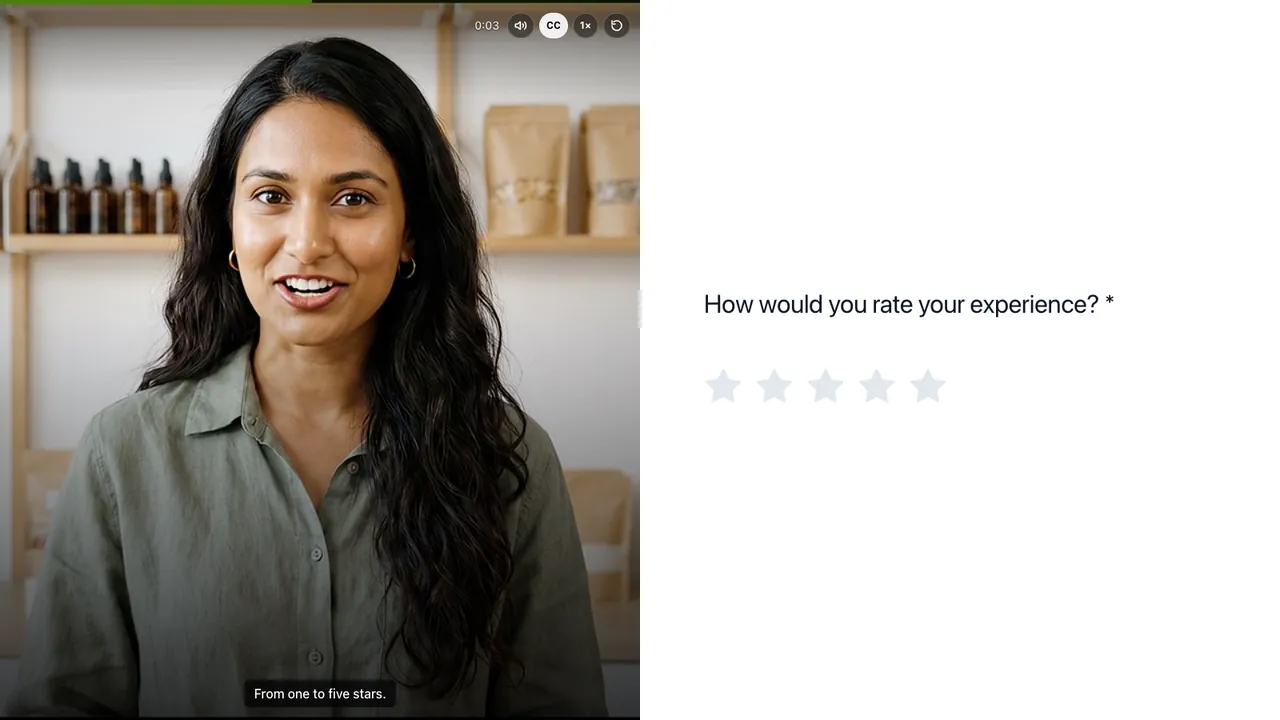
E-commerce
Post-purchase rating that routes happy customers to a video testimonial with sharing consent, and unhappy ones to a fix-it flow

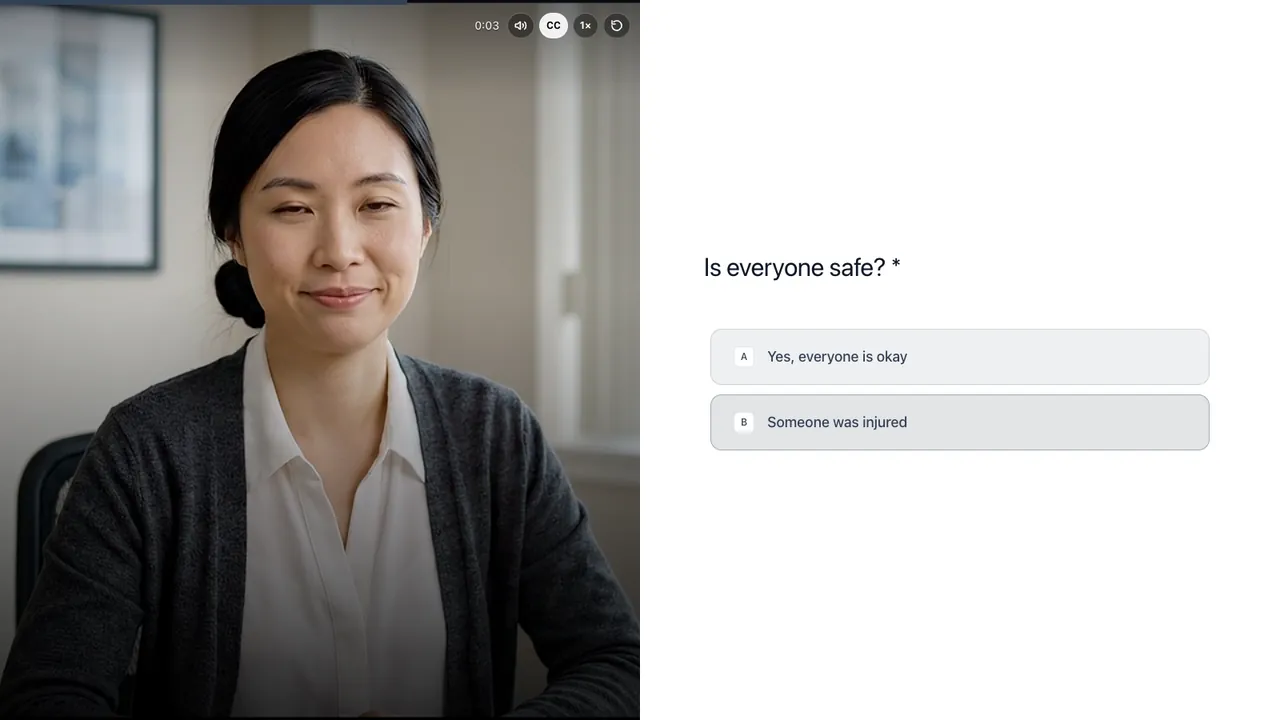
Insurance
First notice of loss with empathy
A video form is a form in which each question can be asked on video, and people answer by video, voice or text in their browser. In RecRam you describe the form, arrange the steps on a canvas and record a host video for each one.
Prompt: A free growth consultation form for our marketing agency. Ask about their business, main goal and monthly budget. Small budgets get our free toolkit; everyone else records a 30-second pitch.
Draft:
The draft shown is the step list of our agency consultation demo form.
RecRam’s video form builder has 23 step types in seven groups, and any answer can decide which step comes next.
How branching logic worksOpen, explain, close or send people on.
One-tap answers that can route the form.
Video, voice, screen or text, plus files and consent.
Stars, or a 0 to 10 score.
Typed answers, short or long.
Who they are and how to reach them.
A date, or a meeting booked with Calendly or Cal.com.
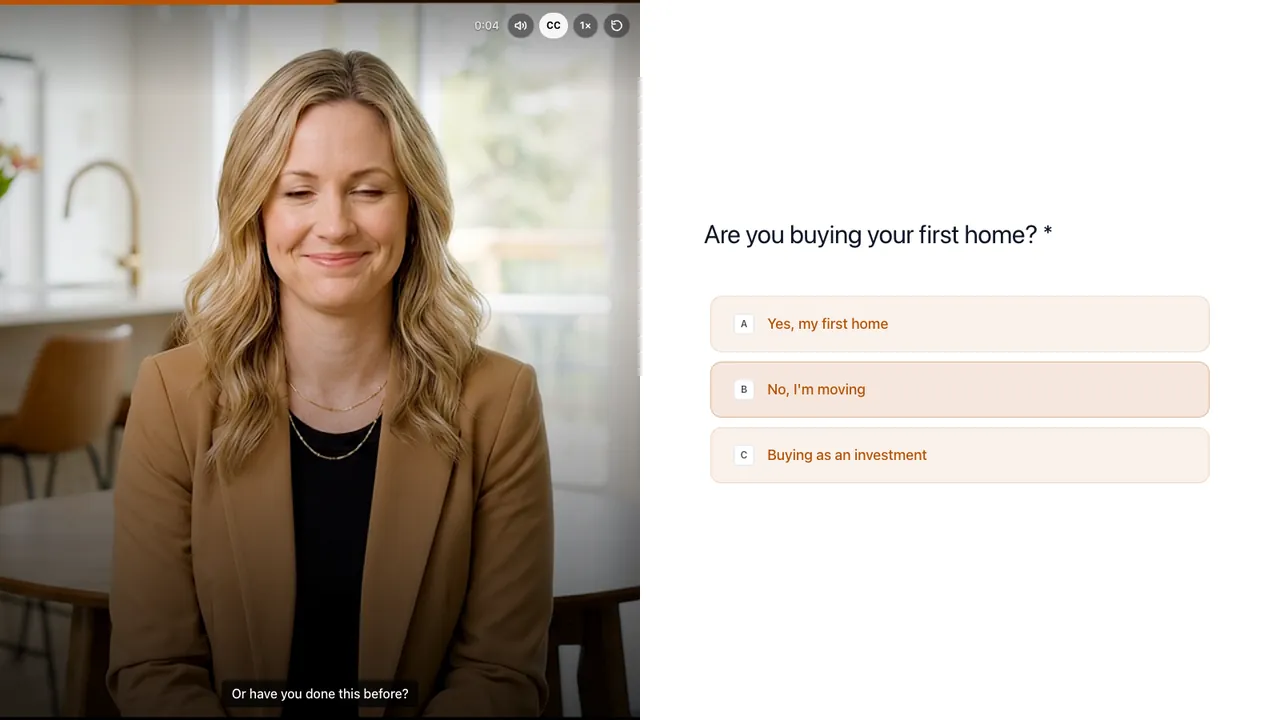
An interactive video form is a form in which a person on camera asks each question and the respondent answers by video, voice or text, right in the browser. The form here is live: try it, nothing you record is saved.
They pick how to answer each open question.
The form opens in any browser, on a phone or a laptop.
They can rehearse an answer before anything is sent.
Each question still reads with the sound off.
When a question needs it, they show their screen instead of describing it.
A video form is shared like any web form: as a link, a QR code, or an embed on your website. It opens in any browser, with no app to install.

LauraToday 9:41
Hi Sam, before we start viewing homes, tell me what you are picturing. It takes about three minutes.
share.recram.com/6ad3a4ecaaec78da9510d6ab
Let’s find your next home
share.recram.com
Find your next home
Answer a few questions and Laura sends homes that fit.
New this week
Homes that fit how you live
Buying, selling and moving in Maple Grove, with an agent who listens first.
New this week
Homes that fit how you live
Buying, selling and moving in Maple Grove, with an agent who listens first.
Tell me what you’re looking forNew this week
Every published form gets its own link. Paste it into an email, a text or a post, or print it as a QR code for flyers and open-house signs. You choose the image and title people see when the link is shared.
With URL parameters
share.recram.com/6ad3a4ecaaec78da9510d6ab
Pass what you already know, like a name, and the matching field is filled in for them.

The same link is ready as a QR code to download and print. Scan this one with your phone to open the demo.
Paste two lines of HTML and the form sits inside your page. Let it size itself, or set a height and width. Works with any website: WordPress, Webflow, Shopify or plain HTML.
Embed code
<div data-recram="https://share.recram.com/6ad3a4ecaaec78da9510d6ab" data-recram-allow="camera,microphone"></div>
<script src="https://cdn.recram.com/recram-embed.js" async></script>Turn any button or link on your site into one that opens the form in a popup, so visitors answer without leaving the page they are on.
Popup code
<a href="#" data-recram-open="https://share.recram.com/6ad3a4ecaaec78da9510d6ab" data-recram-allow="camera,microphone">Open Form</a>
<script src="https://cdn.recram.com/recram-embed.js" async></script>Video Magnet puts your host video on any website as a chat button, a popup or an inline widget, and opens the form when a visitor taps it.
When it appears
After a delay you choose, at a scroll depth, or on exit intent, with a greeting bubble.
A video form report counts the answers to each choice question and transcribes every video and voice answer in 110+ languages. Each answer gets an AI summary, 3 to 5 keywords and a sentiment label, so you read the numbers first and watch only what matters.
Results for “Sorry to see you go” · 8 sample responses
7of 8
finished the form
1 stopped partway; their answers still count
5of 8
answered out loud
2 on video, 3 by voice, 3 typed
5of 7
said “Yes, email me”
of those who reached the last question
4of 8
read as negative by AI
4 neutral, 0 positive
Question by question
Choice · 8 answers
Kevin, Mateo
Hannah, Aisha
Sofia, Yuto
Liam, Chloe
Branch: asked only of the 2 who chose “Too expensive”
Choice · 2 answers
Kevin
Nobody
Mateo
Branch: asked only of the 2 who chose “Switched to another tool”
Short text · 2 answers
Choice · 7 answers
Hannah, Kevin, Liam, Mateo, Chloe
Sofia, Yuto
One answer, opened
Hannah Weber
Transcript · Anything else we should know?
“Add the integration, and honestly, I'd come back the same week.”
Sample answers from fictional respondents in our SaaS churn demo form. Every new account gets this form and these answers to try.
Turn on AI Analysis for a form and each new answer is also scored, put in a category, given a yes or no against a question you write, or answered in a short text you ask for. Rules then tag it, flag it, email your team or call a webhook.
How AI analysis worksExport every response to CSV, or send each new answer, with its transcript and AI summary, to a Google Sheet as a new row.
See integrationsFrom HR, product and marketing teams who collect their answers on video.
Read all reviews on G2“RecRam has solved my 'How do I leave a video testimonial?' problem. Rather than giving clients a confusing process, I now share a RecRam link... Easy as 1-2-3!”
Every team sends a different form. These are the screens their respondents see.
Recruitment & HR
Candidates answer on their own time, and AI transcribes and scores every answer against your criteria.
See how it worksSales & RevOps
Visitors say what they need on video and book the call in the same form.
See how it worksProduct & UX
Users show the bug on screen, or react to a new feature on camera.
See how it worksCustomer Success (CX)
Customers show the problem, and AI flags unhappy answers the moment they arrive.
See how it worksEvery plan includes all of them. Start with video forms and add the rest when you need them.
Ask questions by video and collect video, voice, screen or text answers through one link.
Explore Video FormsTranscripts, summaries, keywords and sentiment on every answer, plus your own AI questions and rules.
Explore AI AnalysisPut a form on any website as a popup, chat button or inline widget, with triggers you control.
Explore Video MagnetAsync one-to-one video threads. Send a link, they record, you reply in the same thread.
Explore RoomConnect RecRam to the tools you already use: native apps, no-code automation or your own code.
Receive real-time notifications and full API access to build RecRam directly into your own product.
Connect with thousands of apps via Zapier. Trigger actions instantly when a video form is submitted.
Receive RecRam responses with a webhook and route them to any app in a visual Make scenario.
Fair-code workflow automation. Trigger complex logic directly and self-host your data securely.
Native integrations
Connect the account once, then choose per form what each response sends: CRM contacts, support tickets, channel posts, spreadsheet rows or calendar events.
Scales from solo use to enterprise teams.
Organize forms by department, project, or client. Everything tidy, everything in place.
Decide who can create, edit or view results with role-based access.
Multiple team members work on the same forms. Results visible to everyone who needs them.
Evaluates customer satisfaction with adherence to Service Level Agreements and identifies breaches or areas of concern.
5 questions · branching
Collects feedback on the helpfulness and clarity of an onboarding video tutorial.
5 questions · branching
Understands which product features are most used and how satisfied customers are with them.
7 questions
Still have questions? Chat with our team
Start collecting real feedback in video. See what your customers actually think and feel.