

Analyze Every Response Automatically with AI
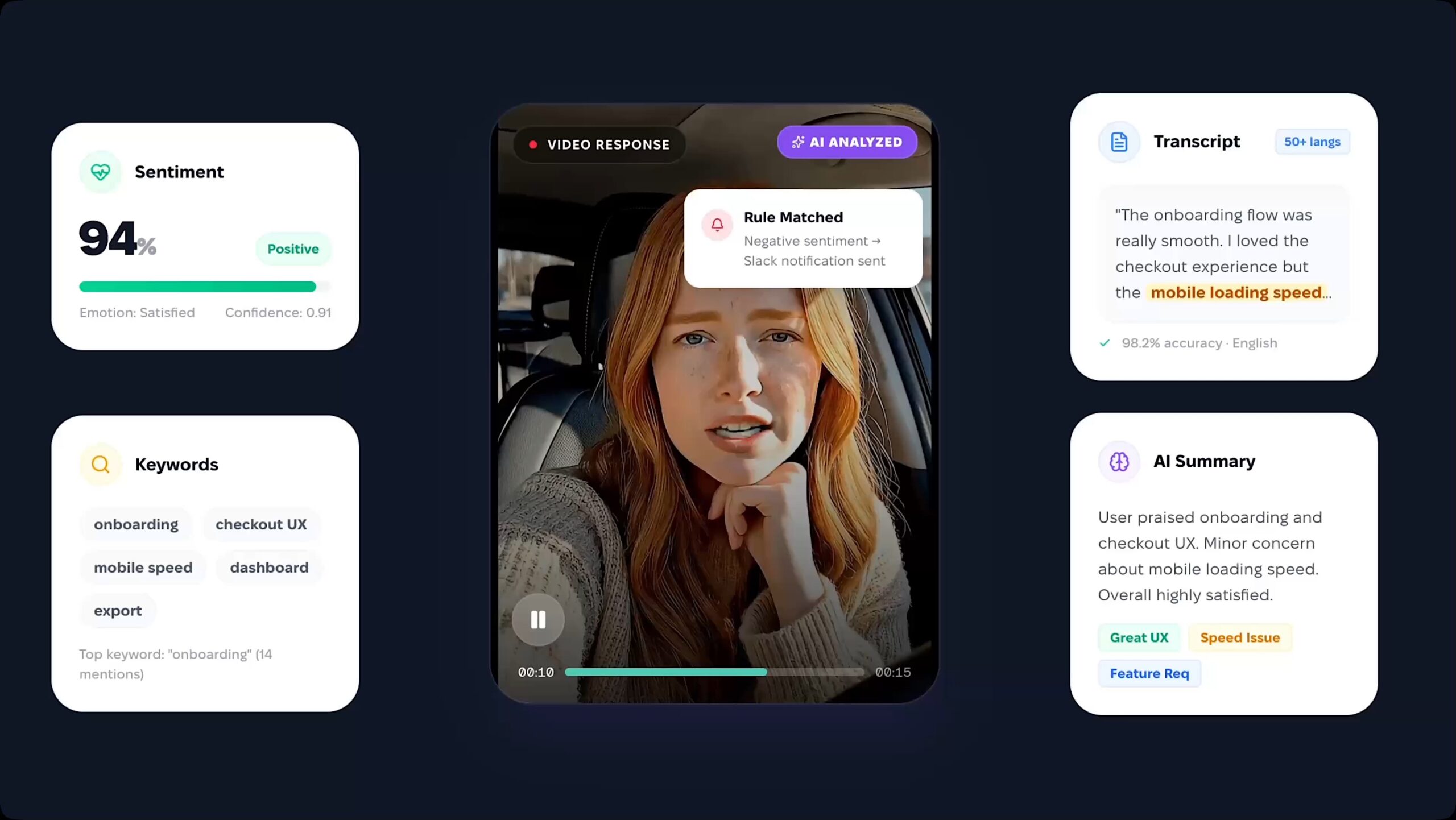
Imagine if a single video response could manage your workflow entirely on its own. What if it could:
- Detect a damaged product in a customer’s video claim and automatically create a support ticket?
- Spot a high-potential candidate in a job interview and instantly notify your hiring team on Slack?
- Read the sentiment of a customer testimonial and push the positive ones straight to your CRM?
This isn’t a glimpse into the future—this is RecRam today. We are thrilled to introduce our new AI Analysis engine, transforming how you collect and act on feedback.
Every video, audio, or text response that comes in is now automatically analyzed by AI in seconds. But here is where it gets truly powerful: The AI results feed directly into your automations.
Set a rule. AI evaluates. Action fires. Done.
How the New AI Analysis Works
We’ve redesigned the feedback loop into a seamless, no-code pipeline directly within your RecRam dashboard: Analyze → Summarize → Decide → Notify.
1. Deep Custom Analysis (Analyze)
Tell the AI exactly what to look for in every response using custom prompts. Choose the exact output format you need to drive your business logic:
- Yes / No (e.g., “Is the user requesting a refund?”)
- Score (Rank from 1-10)
- Sentiment (Positive, Negative, Neutral with confidence scoring)
- Category (e.g., Healthcare, Finance, Retail)
- Text & Keywords (Extract specific mentions like “mobile speed” or “UI”)
2. Transcribe & Summarize in 50+ Languages (Summarize)
Stop watching hours of footage. RecRam delivers highly accurate (98%+) transcriptions in over 50 languages. The engine generates a “Total Analysis” summary, highlighting key indicators, feature requests, and UX pain points at a glance.
3. Smart Rule Engine (Decide)
This is the game-changer. Build logical rules based on the AI’s findings. For example: “If the sentiment is ‘Negative’ AND the user mentions ‘checkout bug’, trigger the next step.” 4. Instant Notifications & Automations (Notify)
When a rule matches, RecRam takes action. Trigger alerts for every response, or only when specific criteria are met (Rule Match Only):
- Email & Webhooks: Push AI summaries and raw data directly to your internal systems.
- Seamless Integrations: Works flawlessly with Zapier, n8n, Make, or direct Webhooks to route data to Zendesk, Slack, HubSpot, and thousands of other apps. No code required.
Live Examples: Put Your Workflow on Autopilot
How can you use this today? Here are just a few ways our users are turning insights into immediate action:
| Use Case | AI Evaluates | Action Fires |
| Insurance / Claim | Detects product damage in the video. | Ticket created automatically in Zendesk. |
| Job Application | Scores high for strong communication. | Hiring manager notified instantly via Slack. |
| Customer Feedback | Flags negative sentiment & complaints. | Escalated to the support team via Webhook. |
| Product Review | Identifies positive sentiment + feature mentions. | Pushed to HubSpot as a marketing testimonial. |
Stop manually sifting through data. Let the AI do the heavy lifting so you can focus on making the right decisions and growing your business.
Ready to see it in action? Log into your dashboard or visit our AI Analysis page to start building your automated workflows today!